Getting Started
All GameLift Client nodes need a GameLift Client Object. You create it once with your AWS credentials and region, store it, and pass it to every node.
1. Create an IAM user
Create an IAM user or role with permission to use GameLift, and an access key for it. See Creating a User.
2. Create the client object
Call Create Game Lift Object with:
| Input | Description |
|---|---|
| Credentials | Access Key Id and Secret Key of the IAM user. Add a Session Token if you use temporary credentials, for example from Cognito. |
| Client Configuration | The Region of your fleets, for example eu-central-1. The other settings are timeouts, proxy and endpoint options, and can be left at their defaults. |
| Callback | An event that is called when the client object is ready. |
The client object is created in the background. Wait for the Callback, store the Game Lift Client Object in a variable, and only use it after that.
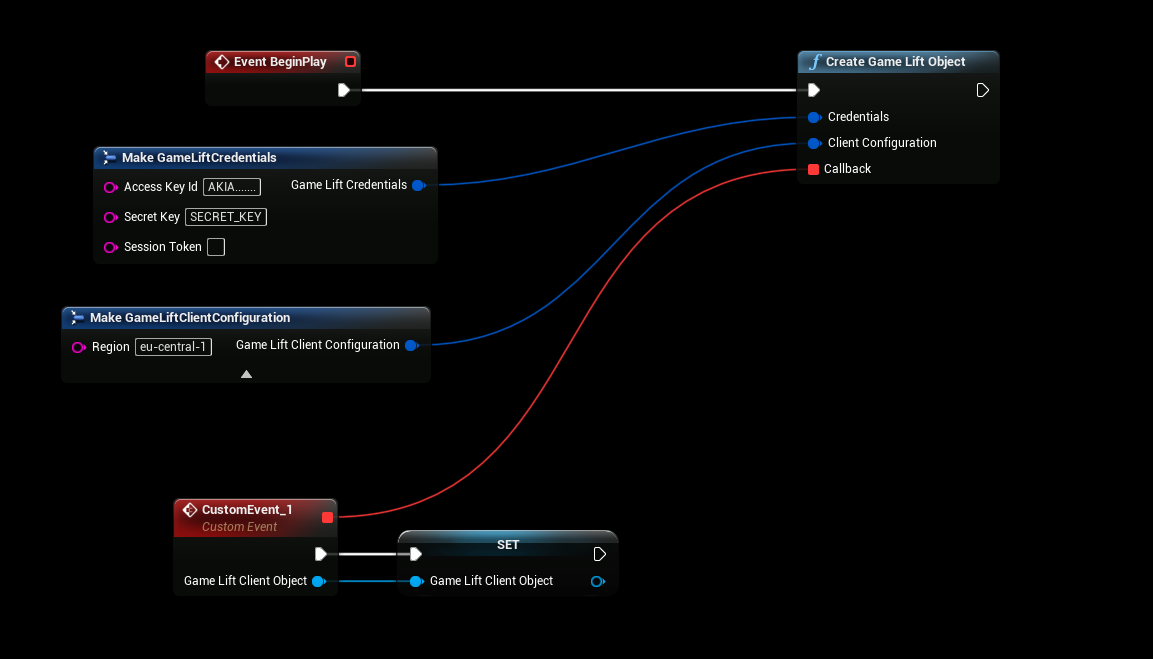
Store the client object in a variable. If you call a node before the callback, or with an empty variable, the node fails with Client object is not valid, create it and wait for its callback before calling this function in the log.
When you are done with it, call Destroy Game Lift Object to free it.
3. Call a node
All GameLift actions are async nodes. Pass the client object and a request, and use the Callback pin. The node calls it when GameLift has answered, with:
| Output | Description |
|---|---|
| Success | True if the call succeeded. |
| Result | The response from GameLift. Not every node has one. |
| Error Type | The GameLift error, for example NOT_FOUND, INVALID_REQUEST or LIMIT_EXCEEDED. |
| Error Message | The error message from GameLift. |
This example creates a custom location for GameLift Anywhere:
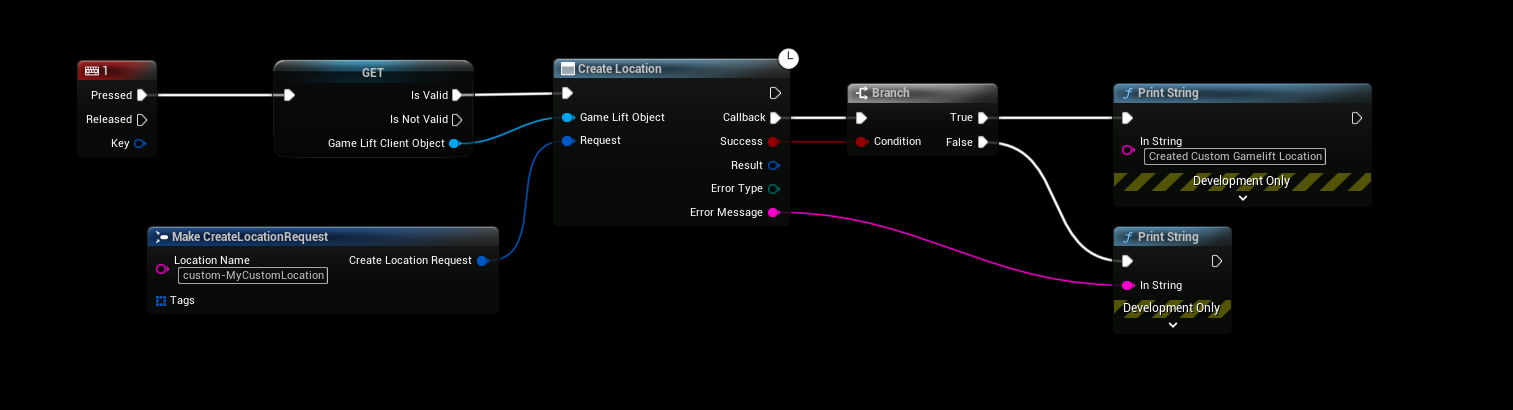
All nodes have the same names as the actions in the GameLift API Reference, so you can follow the AWS documentation for what each request field does.
Next steps
- Game Sessions & Matchmaking: get players into a server.
- GameLift Anywhere: register your own machine as a server.
- Blueprint Nodes: all nodes in the plugin.