Downloading Large Files
Get Object loads the whole download into memory before it writes it to disk. For files of 100 MB or more, download them in chunks with Range instead. That also lets you show progress and resume a download.
Range
Set Range to bytes=from-to. This downloads the first 1024 bytes:
bytes=0-1023
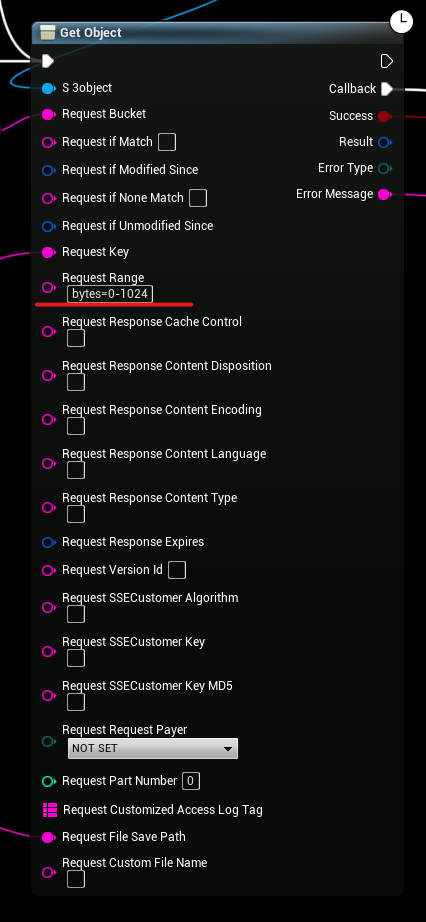
When Range is set, Get Object appends the bytes to the file instead of replacing it.
Delete the file before you start a new chunked download. Otherwise the first chunk is appended to the old file.
Example
This example downloads my_file.zip in 100 MB chunks (100000000 bytes) to D:\downloads\my_file.zip.
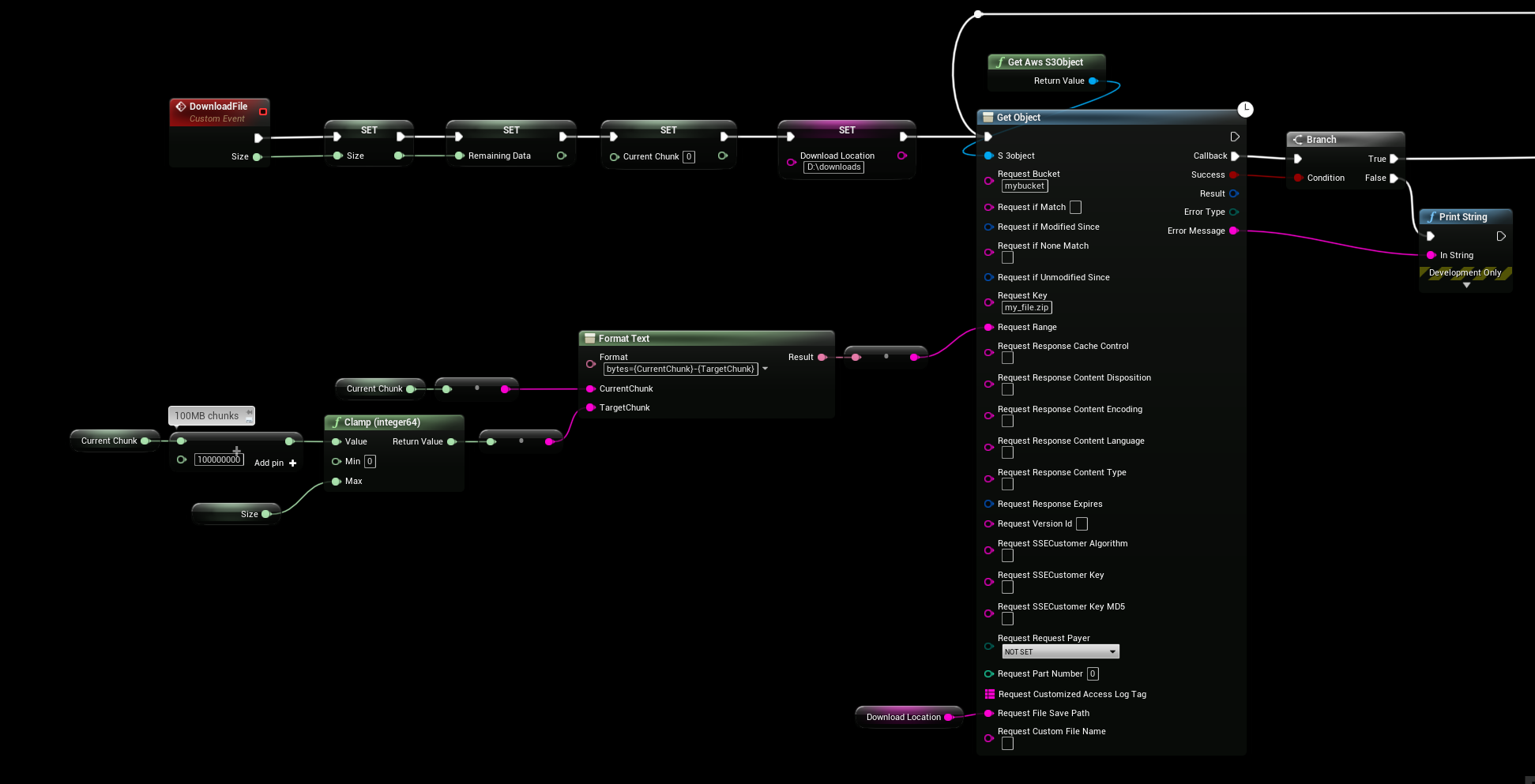
In the callback, it checks the size of the file on disk with File Size On Disk. If there is more to download, it calls Get Object again from that size, so the next chunk is 100–200 MB, and so on. Use Head Object first to get the total size, and divide the file size by it for progress.
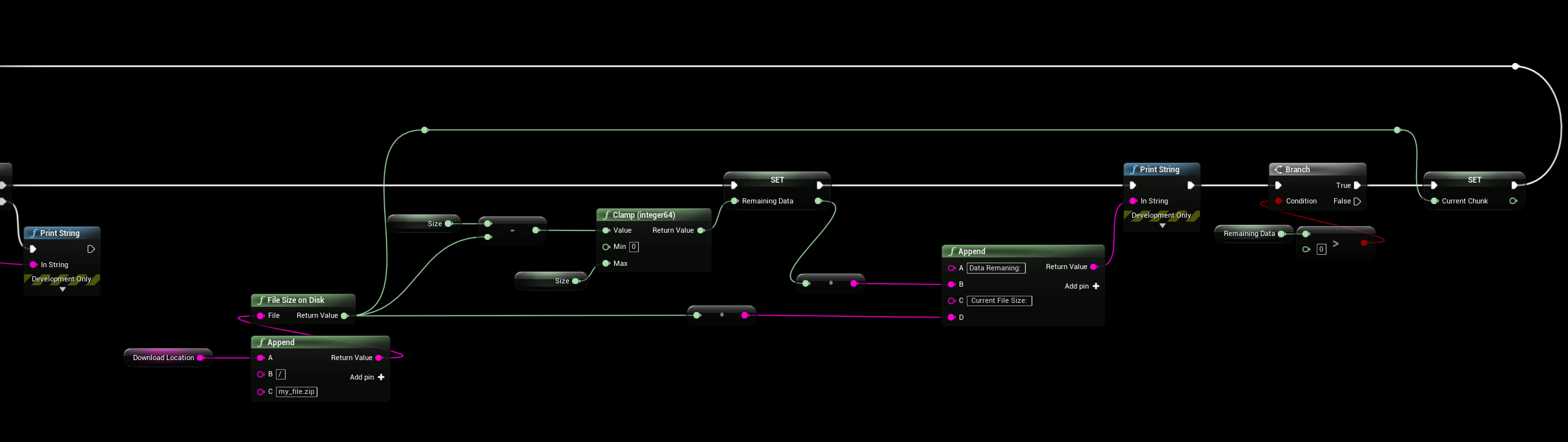
To resume a download later, start from the size of the file that is already on disk.