Using the Plugin
Everything on the server goes through a GameLift Server Object. You create it once when the server starts, call Init Sdk on it, and override its events to decide what happens when GameLift starts a game session or shuts the server down.
Requirements
- A dedicated server build of your game. See the Unreal Engine documentation on how to set one up.
- A GameLift fleet to run the server on: a managed EC2 fleet, or an Anywhere fleet.
Create a Server Object
Create a Blueprint class with GameLift Server Object as the parent class. This is where you override the server events.
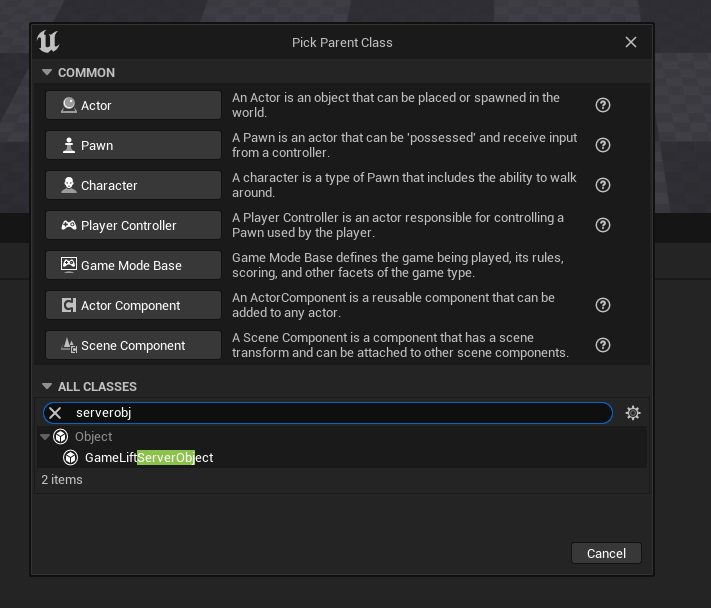
Initialize the server
Construct your Server Object, for example in the Game Mode or Game Instance on Begin Play, and call Init Sdk on it.
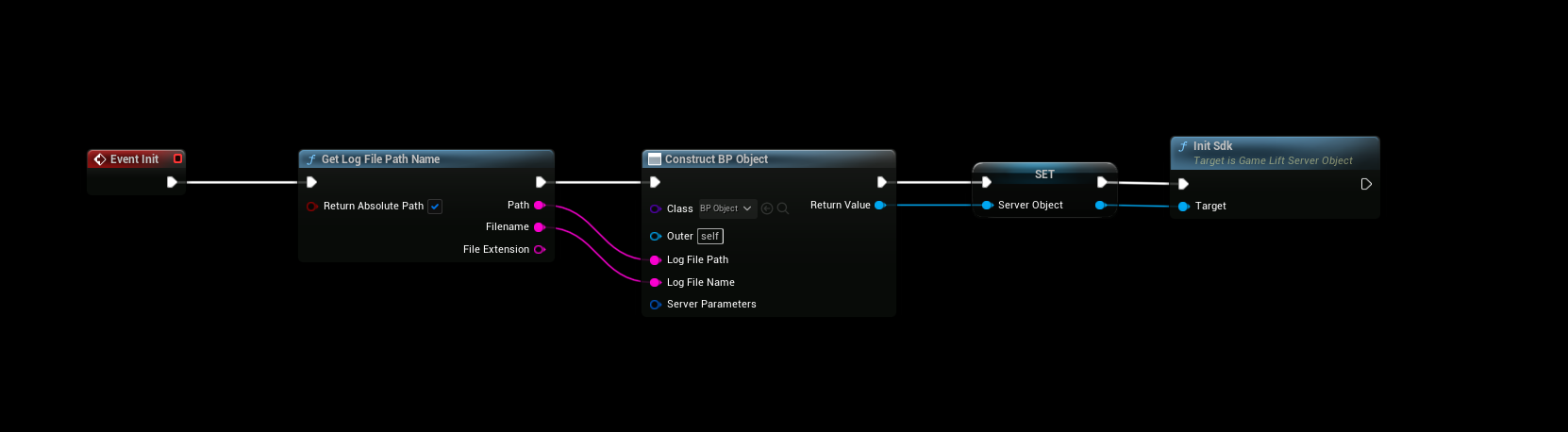
Store the Server Object in a variable. The plugin only keeps a weak reference to it, so if nothing references it, it is garbage collected and your events stop being called.
Init Sdk does two things:
- It connects to GameLift with the Server Parameters on the object.
- It calls ProcessReady, which tells GameLift that the server can host a game session. It reports the port the server listens on and the log file GameLift should upload when the game session ends.
On a managed EC2 fleet, leave the Server Parameters empty. GameLift sets them through environment variables on the instance, and the Server SDK reads them from there.
On an Anywhere fleet, you fill in the Server Parameters yourself. See GameLift Anywhere.
Server Object properties
| Property | Description |
|---|---|
| Server Parameters | Connection settings: Web Socket Url, Fleet Id, Process Id, Host Id, Auth Token, Aws Region, Access Key, Secret Key and Session Token. Only needed for Anywhere fleets. |
| Log File Path | The folder of the log file that GameLift uploads when a game session ends. Defaults to the project's Saved/Logs folder. |
| Log File Name | The name of the log file. Defaults to gamelift_log.txt. |
The listen port
The port reported to GameLift is the port of the server's world. You can override it with -port= on the command line, which is how you run several server processes on the same instance. Set the launch path parameters in your fleet's runtime configuration, for example:
-port=7777
Server events
Override these events in your Server Object. They are always called on the game thread.
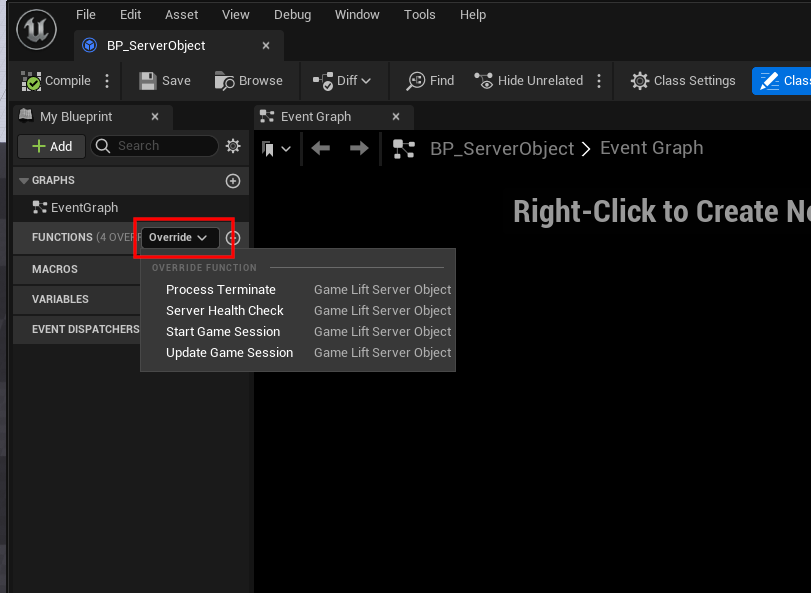
| Event | When it is called | Default behavior |
|---|---|---|
| Start Game Session | GameLift has placed a game session on this server. The Session has the game session id, properties, matchmaker data and maximum player count. | Calls Activate Game Session. If you override it, call Activate Game Session yourself when the server is ready for players, for example after loading the map. |
| Update Game Session | FlexMatch backfill updated the matchmaker data, or a backfill failed, timed out or was cancelled. See Update Reason. | Does nothing. |
| Process Terminate | GameLift is shutting down this server process, for example during a scale-down or an instance interruption. | Calls Process Ending and exits the server. If you override it, save what you need, then call Process Ending and quit. Get Termination Time tells you how much time you have. |
| Server Health Check | Every 60 seconds. Return false if the server is unhealthy. | Returns true. |
The Server SDK asks for the health check on a background thread. The plugin answers right away with the result of the previous check and runs your event on the game thread, so a change is reported one health check later.
Players joining
Clients connect to the IP address and port of the game session with the player session id they got from Create Player Session. The server must accept the player session with Accept Player Session when the player connects, and remove it with Remove Player Session when the player leaves.
The included GameLift Server Game Mode does this for you. See Game Mode.
Ending the server
Call Process Ending when the game session is over and the server should shut down. GameLift then terminates the process and starts a new one in its place.
Destroy GameLift Server calls Process Ending, shuts down the Server SDK and stops sending events to the Server Object. Call it before the server exits if you shut it down yourself.
Next steps
- GameLift Anywhere: run the server on your own machine.
- Game Mode: validate player sessions.
- Blueprint Nodes: all nodes in the plugin.